Understanding IP Addresses for Personal Finance Security
In an increasingly digital world, your online identity and security are paramount. Every time you connect to the internet, your device is assigned a unique identifier known as an Internet Protocol (IP) address. While often overlooked, understanding what an IP address is, how it works, and its implications for your personal finance security is crucial. From protecting your online banking to securing your investments, your IP address plays a silent yet significant role in your digital footprint.
This article will demystify IP addresses, explain their different types, and highlight the critical ways they intersect with your financial well-being. We will explore how cybercriminals can misuse IP information, the protective measures you can take, and the best practices for safeguarding your financial data in an interconnected environment. By the end, you will have a clearer picture of why managing your IP address visibility is a key component of robust personal finance security.
IP Address Definition: An Internet Protocol (IP) address is a unique numerical label assigned to every device connected to a computer network that uses the Internet Protocol for communication. It serves two main functions: host or network interface identification and location addressing.
What is an IP Address and How Does It Work?
An IP address is essentially your device's mailing address on the internet. Just as a postal service needs an address to deliver mail, internet services need an IP address to send data to the correct device. Without it, your computer wouldn't know where to receive information from websites, emails, or streaming services. This fundamental concept underpins almost all online communication.
The Basics of IP Addressing
Every device connected to the internet, whether it's a smartphone, laptop, smart TV, or even a smart refrigerator, has an IP address. These addresses are managed by the Internet Assigned Numbers Authority (IANA) globally, and then distributed by regional internet registries (RIRs) to internet service providers (ISPs). Your ISP then assigns an IP address to your home network, and your router assigns IP addresses to the devices within your home network. This hierarchical system ensures that data packets can navigate the vast expanse of the internet efficiently and reach their intended destination.
The most common type of IP address you'll encounter is IPv4 (Internet Protocol version 4). It looks like a series of four numbers separated by dots, such as 192.168.1.1. Each number can range from 0 to 255. While IPv4 has been the standard for decades, the rapid growth of internet-connected devices has led to a shortage of available IPv4 addresses. This scarcity prompted the development and gradual adoption of IPv6 (Internet Protocol version 6), which uses a longer, alphanumeric format (e.g., 2001:0db8:85a3:0000:0000:8a2e:0370:7334) to provide a vastly larger pool of unique addresses. As of early 2024, IPv6 adoption continues to grow, with major content providers and ISPs increasingly supporting it.
How Your IP Address is Assigned
When you connect to the internet, your device requests an IP address from your router or ISP. This process typically happens automatically using a protocol called DHCP (Dynamic Host Configuration Protocol). DHCP dynamically assigns an available IP address to your device for a specific period. This is why your IP address might change occasionally, especially if you restart your router or your lease expires.
There are two main types of IP addresses based on their assignment:
- Dynamic IP addresses: These are the most common for home users. They are temporary and can change over time. ISPs use dynamic IPs to conserve their limited pool of addresses. When you disconnect from the internet or your lease expires, your IP address might be reassigned to another user, and you'll receive a new one when you reconnect.
- Static IP addresses: These addresses remain constant over time. They are typically used by businesses or individuals who host servers, websites, or need consistent remote access. Static IPs often come with an additional cost from ISPs because they require dedicated allocation. For most personal finance activities, a dynamic IP address is sufficient and offers a slight advantage in terms of privacy, as it's harder to track a single user over long periods if their IP keeps changing.
Understanding this assignment process helps demystify how your device communicates online and why your IP address might not always be the same.
Types of IP Addresses and Their Financial Relevance
Not all IP addresses are created equal. The distinction between public and private IP addresses, and the implications of shared versus dedicated IPs, are particularly relevant when considering personal finance security. Each type serves a different purpose and carries varying levels of exposure to potential risks.
Public vs. Private IP Addresses
The most fundamental distinction is between public and private IP addresses.
- Public IP Address: This is the address that your entire network (your home or office) uses to communicate with the internet. It's assigned by your ISP and is visible to the outside world. When you visit a website, that website sees your public IP address. This address is how data from the internet finds its way back to your specific network. For example, when you access your online banking portal, the bank's server sees your public IP address. If this address is compromised or associated with suspicious activity, it can raise red flags.
- Private IP Address: These addresses are used within your local network (LAN) and are not directly accessible from the internet. Your router assigns private IP addresses to all the devices connected to it (your laptop, phone, smart home devices, etc.). Common private IP ranges include
192.168.x.x,10.x.x.x, and172.16.x.xto172.31.x.x. Devices within your network can communicate using these private IPs, but when they need to access the internet, your router performs Network Address Translation (NAT) to map their private IP to your network's single public IP. This separation provides a layer of security, as external threats cannot directly target your individual devices using their private IPs.
The security of your financial transactions often relies on the integrity of your public IP address. If a cybercriminal gains access to your public IP, they might attempt to launch attacks or gather information about your network.
Shared vs. Dedicated IP Addresses
Beyond public and private, IP addresses can also be categorized as shared or dedicated. This distinction is more common in web hosting environments but can also apply to certain VPN services or business setups.
- Shared IP Address: With a shared IP, multiple websites or services use the same public IP address. This is common in shared web hosting, where hundreds of websites might reside on one server, all sharing a single IP. For personal finance, you might encounter a shared IP if you're using a free or low-cost VPN service where many users share the same outgoing IP address. While generally safe, if one user on a shared IP engages in malicious activity, the IP address could be flagged or even blacklisted, potentially affecting your ability to access certain financial services that block flagged IPs.
- Dedicated IP Address: A dedicated IP address is exclusively assigned to a single website, server, or user. Businesses often opt for dedicated IPs for enhanced security, performance, and the ability to obtain an SSL certificate directly linked to their IP. For personal use, a dedicated IP from a VPN provider can offer more consistent access to services that might block shared VPN IPs, and it reduces the risk of being affected by other users' online behavior. However, a dedicated IP also makes it easier to track your online activity over time, as your digital footprint is consistently linked to that one address.
Understanding these types helps you make informed decisions about your online environment, especially when choosing services that impact your financial security. For instance, using a reputable VPN with dedicated IP options might be beneficial for frequent travelers accessing financial accounts from various locations.
IP Addresses and Your Personal Finance Security
Your IP address, while seemingly innocuous, can be a valuable piece of information for both legitimate services and malicious actors. Its role in your personal finance security is multifaceted, impacting everything from fraud detection to your privacy.
How Financial Institutions Use Your IP Address
Financial institutions, including banks, investment platforms, and credit card companies, routinely monitor IP addresses as a crucial component of their fraud detection and security protocols.
- Location Verification: When you log into your online banking or make a transaction, the institution records the IP address from which you're accessing their services. If a login attempt or a high-value transaction originates from an unusual geographic location (e.g., a foreign country you've never visited) or a known high-risk IP address, it can trigger a fraud alert. This is why you might receive a text message or email asking to verify a transaction if you're traveling and accessing your accounts from a new location. According to a 2023 report by the Federal Trade Commission (FTC), location-based IP analysis is a key tool in preventing unauthorized access, contributing to the prevention of billions of dollars in potential fraud annually.
- Device Recognition: While not a perfect identifier, a consistent IP address from a specific location can help financial institutions recognize your "usual" access patterns. Deviations from these patterns, such as multiple failed login attempts from a new IP, can signal a potential account takeover attempt.
- Regulatory Compliance: Many financial regulations, such as those related to anti-money laundering (AML) and know-your-customer (KYC) requirements, necessitate tracking and logging user activity, including IP addresses. This data helps institutions identify suspicious patterns that could indicate illicit financial activities.
- Security Measures: Some banks implement IP whitelisting or blacklisting. If your IP address is on a blacklist due to previous malicious activity (even if it was someone else using a shared IP), you might be temporarily blocked from accessing certain services. Conversely, some business accounts allow users to whitelist specific IP addresses, granting access only from those approved locations.
Risks Associated with IP Address Exposure
While financial institutions use your IP address for security, its exposure also presents risks if it falls into the wrong hands.
- DDoS Attacks: A Distributed Denial of Service (DDoS) attack aims to overwhelm a network or server with traffic, making it unavailable to legitimate users. If a cybercriminal targets your home IP address, they could flood your internet connection, preventing you from accessing online banking, trading platforms, or even basic internet services. While less common for individual users than for businesses, it's a disruptive threat.
- Geolocation Tracking: Your IP address reveals your approximate geographic location. While it won't pinpoint your exact street address, it can often narrow it down to your city, region, or even your ISP's central office. This information can be used for targeted advertising, but also by malicious actors to gather intelligence for social engineering attacks or to verify if a physical location matches an online identity.
- Targeted Phishing and Social Engineering: Knowing your IP address and approximate location can make phishing attempts more convincing. For example, a scammer might craft an email pretending to be from your local bank branch, using details gleaned from your IP to make the message seem more legitimate.
- Exploiting Network Vulnerabilities: If a hacker knows your public IP address, they can scan it for open ports and vulnerabilities in your router or network devices. If successful, they could gain unauthorized access to your home network, potentially compromising devices that store sensitive financial information. A 2024 report by cybersecurity firm Check Point highlighted that home networks are increasingly targeted, with router vulnerabilities being a primary entry point.
- Identity Theft and Fraud: While an IP address alone isn't enough for identity theft, it's a piece of the puzzle. Combined with other leaked personal information, it can help criminals build a more complete profile, making it easier to impersonate you or access your accounts.
Protecting Your IP Address and Financial Data
Given the risks, actively protecting your IP address and the financial data associated with it is a critical aspect of modern personal finance management. Several tools and practices can significantly enhance your online security posture.
Using a Virtual Private Network (VPN)
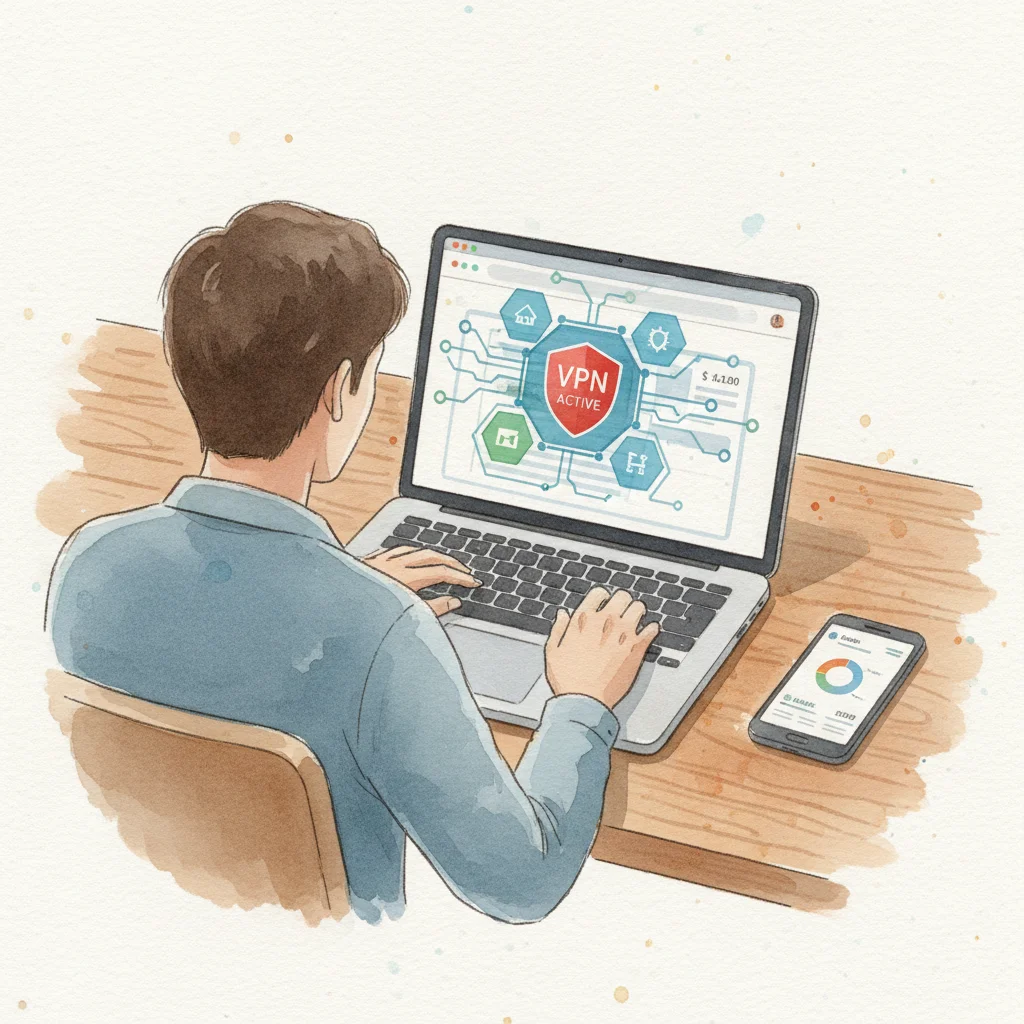
A VPN is one of the most effective tools for masking your IP address and encrypting your internet traffic.
- How a VPN Works: When you connect to a VPN service, your internet traffic is routed through an encrypted tunnel to a server operated by the VPN provider. Your public IP address then appears to be that of the VPN server, effectively hiding your true IP address from the websites and services you visit. This also encrypts your data, making it unreadable to anyone who might intercept it, such as your ISP or potential eavesdroppers on public Wi-Fi.
- Benefits for Personal Finance:
- Enhanced Privacy: By masking your IP, a VPN makes it much harder for websites, advertisers, and potential attackers to track your online activity back to your actual location. This is especially important when accessing sensitive financial information.
- Secure Public Wi-Fi: Public Wi-Fi networks (e.g., in cafes, airports) are notoriously insecure. Using a VPN encrypts your data, protecting your financial logins and transactions from being intercepted by cybercriminals on the same network.
- Bypassing Geo-restrictions: While not directly a security feature, a VPN can allow you to access your financial accounts from abroad if your bank has geo-restrictions based on IP addresses. However, be aware that accessing financial services from a drastically different IP location can sometimes trigger fraud alerts, so it's wise to notify your bank if you plan to use a VPN while traveling.
- Protection Against DDoS: If your true IP address is hidden behind a VPN, a DDoS attack would target the VPN server, not your home network. Reputable VPN providers have robust infrastructure to withstand such attacks.
- Choosing a Reputable VPN: Not all VPNs are created equal. Look for providers with a strict no-logs policy, strong encryption (e.g., AES-256), a wide network of servers, and positive independent audits. Avoid free VPNs, as they often monetize user data or have weaker security. Consider options like NordVPN, ExpressVPN, or ProtonVPN, which are highly rated for security and privacy.
Router Security and Network Best Practices
Your home router is the gateway to your network and the first line of defense for your IP address. Securing it is paramount.
- Change Default Credentials: The first step is to change the default username and password for your router's administration panel. Default credentials are often publicly known and easily exploited.
- Enable Strong Wi-Fi Encryption: Always use WPA2 or, preferably, WPA3 encryption for your Wi-Fi network. Avoid WEP, which is easily cracked. A strong password for your Wi-Fi network prevents unauthorized access to your local network and, by extension, your internet connection.
- Keep Firmware Updated: Router manufacturers regularly release firmware updates that patch security vulnerabilities. Enable automatic updates if available, or regularly check your router's manufacturer website for the latest firmware.
- Disable UPnP (Universal Plug and Play): While convenient, UPnP can automatically open ports on your router, creating potential security holes that can be exploited by malware. It's generally safer to disable it and manually configure port forwarding if absolutely necessary for specific applications.
- Use a Firewall: Most routers have a built-in firewall. Ensure it's enabled and configured to block unsolicited incoming connections. Your operating system's firewall (e.g., Windows Defender Firewall, macOS Firewall) should also be active.
- Guest Wi-Fi Network: If your router supports it, set up a separate guest Wi-Fi network. This isolates guests' devices from your main network, preventing them from potentially accessing your shared files or vulnerable devices.
Other Essential Security Measures
Beyond VPNs and router security, a holistic approach to online safety is crucial for protecting your financial data.
- Strong, Unique Passwords: Use complex, unique passwords for all your online financial accounts. A password manager can help you generate and store these securely.
- Multi-Factor Authentication (MFA): Enable MFA (also known as two-factor authentication or 2FA) on every financial account that offers it. This adds an extra layer of security, typically requiring a code from your phone or a biometric scan in addition to your password. Even if a criminal gets your password, they can't access your account without the second factor. According to the Cybersecurity & Infrastructure Security Agency (CISA), MFA can block over 99.9% of automated cyberattacks.
- Be Wary of Phishing: Be extremely cautious of unsolicited emails, texts, or calls asking for personal or financial information. Financial institutions will never ask for your password or sensitive details via email. Always verify the sender and, if in doubt, navigate directly to the institution's official website rather than clicking links in emails.
- Keep Software Updated: Regularly update your operating system, web browsers, and all applications. Software updates often include critical security patches that protect against newly discovered vulnerabilities.
- Antivirus/Anti-malware Software: Install and maintain reputable antivirus and anti-malware software on all your devices. Regularly scan for threats to catch and remove malicious software that could compromise your system.
- Monitor Financial Accounts: Regularly review your bank statements, credit card transactions, and investment account activity for any unauthorized or suspicious transactions. Early detection is key to limiting potential damage from fraud. Many banks offer alerts for transactions above a certain amount or for international purchases.
By combining these strategies, you create a robust defense against common cyber threats, significantly reducing the risk of your IP address being exploited and your financial data compromised.
Real-World Scenarios: IP Addresses and Financial Fraud
To illustrate the practical implications of IP addresses in personal finance security, let's explore a few real-world scenarios where IP information plays a role in either preventing or facilitating financial fraud.
Scenario 1: Preventing Account Takeover During Travel
Maria, a frequent traveler, logs into her online investment account from a hotel in Singapore. Her investment platform's security system immediately flags the login attempt. Why? Because Maria typically accesses her account from her home IP address in New York, and the Singaporean IP address is a significant geographic anomaly.
The system automatically sends a two-factor authentication (2FA) request to her registered mobile phone. Maria receives a push notification asking her to approve the login. If it were a fraudster, they wouldn't have her phone, and the login would be denied. This immediate flag, triggered by the unusual IP address, prevents a potential account takeover. Maria, having anticipated this, approves the login, and her access is granted. This highlights how financial institutions leverage IP-based location data as a critical fraud prevention tool.
Scenario 2: IP Blacklisting and Access Issues
David uses a free VPN service to browse the internet. One day, he tries to log into his online banking portal, but the website displays an error message: "Access Denied: Your IP address has been blocked." David is frustrated, as he knows his credentials are correct.
The issue is likely that the free VPN service David uses has a shared IP address that has been previously used by other users for malicious activities, such as spamming, phishing attempts, or even botnet operations. As a result, David's bank, along with many other financial institutions, has blacklisted that specific IP address to protect their systems and customers. David has to disconnect from the VPN to access his banking, temporarily exposing his real IP address, or switch to a reputable paid VPN service that offers dedicated IP options or has a clean IP pool. This scenario demonstrates the potential pitfalls of using unreliable VPNs and how shared IP reputation can impact legitimate users.
Scenario 3: Targeted Phishing Using IP Geolocation
A cybercriminal group obtains a list of email addresses and corresponding IP addresses from a data breach. They notice that John's IP address consistently resolves to a specific suburb in Dallas, Texas. The criminals then craft a highly targeted phishing email.
The email appears to be from "Dallas Bank & Trust," a legitimate local bank in John's area (even if John doesn't bank there). The email warns of "unusual activity" on John's account and urges him to click a link to "verify his identity." Because the email mentions a local bank and the language is tailored to his perceived location, John is more likely to believe it's legitimate. He clicks the link, which leads to a fake banking website designed to steal his login credentials. The IP address, combined with other data, allowed for a more convincing and effective social engineering attack, increasing the likelihood of John falling victim.
These examples underscore that while IP addresses are fundamental for internet functionality, they are also a key data point in the ongoing battle for financial security. Being aware of how they are used and how to protect them empowers individuals to better safeguard their assets.
Future Trends: IP Addresses, Privacy, and Finance
The landscape of IP addresses, privacy, and personal finance is continually evolving. New technologies and regulatory changes are shaping how our online identities are managed and protected. Staying informed about these trends is crucial for maintaining robust financial security.
The Rise of IPv6 and Enhanced Tracking
As mentioned earlier, IPv6 is slowly replacing IPv4. While IPv6 offers a vastly larger address space, it also introduces potential privacy concerns. With so many addresses available, it's technically feasible for every single device to have a unique, static IPv6 address, making long-term tracking of individual devices much easier than with dynamic IPv4 addresses.
- Privacy Extensions: To counteract this, IPv6 includes "Privacy Extensions" (RFC 4941), which allow devices to generate temporary, random IPv6 addresses for outgoing connections. This makes it harder to track a device over time. However, not all operating systems or network configurations fully implement or default to these extensions.
- Financial Implications: If IPv6 addresses become more static and uniquely identifiable, financial institutions might gain even more precise tracking capabilities, potentially leading to more sophisticated fraud detection but also raising questions about user privacy. It will be increasingly important for users to ensure their devices and networks are configured to utilize privacy-enhancing features of IPv6.
Decentralized Identifiers (DIDs) and Blockchain
Emerging technologies like Decentralized Identifiers (DIDs) and blockchain are poised to revolutionize how identity and access are managed online, potentially reducing reliance on IP addresses for authentication.
- DIDs: DIDs are a new type of globally unique identifier that enables verifiable, decentralized digital identity. Unlike traditional identifiers (like usernames or IP addresses), DIDs are not controlled by any central authority. They allow individuals to own and control their digital identity, choosing what information to share and with whom.
- Blockchain Integration: DIDs often leverage blockchain technology to ensure immutability and verifiability. This could mean that instead of relying on an IP address to verify a user's location or device for a financial transaction, a system could use a cryptographically verifiable DID linked to a self-sovereign identity.
- Impact on Finance: This shift could lead to more secure and private financial transactions. Instead of revealing your IP address and other metadata, you might only present a verifiable credential that confirms your identity or eligibility for a service, without exposing underlying personal data. This could significantly reduce the attack surface for IP-based fraud and enhance user control over their financial data.
Regulatory Landscape and Data Privacy Laws
Global data privacy regulations, such as the General Data Protection Regulation (GDPR) in Europe and the California Consumer Privacy Act (CCPA) in the US, are increasingly recognizing IP addresses as personal data.
- Increased Scrutiny: These laws mandate how organizations collect, process, and store IP addresses, requiring consent and providing individuals with rights over their data. This means financial institutions and other online services must be more transparent about their IP data practices.
- Impact on Financial Services: For financial institutions, compliance means stricter controls over IP logs, clearer privacy policies, and potentially new ways of authenticating users that minimize the collection of unnecessary IP data. For consumers, these regulations offer greater protection against the misuse of their IP addresses for tracking or fraudulent purposes. As these laws evolve, consumers will likely gain more control over their digital footprint, including their IP address information.
The future points towards a more sophisticated interplay between technology and regulation, where the balance between security, privacy, and convenience will continue to be refined. Understanding these trends will empower you to adapt your personal finance security strategies accordingly.
Frequently Asked Questions
What is my current IP address?
Your current public IP address is the unique numerical label assigned to your internet connection by your Internet Service Provider (ISP). You can easily find it by visiting websites like icanhazip.com or whatismyip.com. These sites display your public IP address directly on the page.
Can someone hack me with just my IP address?
While an IP address alone is not enough to directly "hack" into your device and steal financial information, it can be a starting point for malicious activities. With your IP, a hacker can determine your approximate geographic location, scan your network for vulnerabilities, or launch a Distributed Denial of Service (DDoS) attack to disrupt your internet connection. They could also use it in more sophisticated phishing attempts.
Should I hide my IP address for online banking?
Using a Virtual Private Network (VPN) to hide your IP address for online banking can enhance your privacy and security, especially on public Wi-Fi. However, be aware that some financial institutions might flag logins from VPN IP addresses as suspicious and trigger additional verification steps. Always use a reputable, paid VPN service to ensure strong encryption and a reliable connection.
Is my IP address considered personal data?
Yes, in many jurisdictions, including under the GDPR in Europe and the CCPA in California, an IP address is considered personal data. This is because it can be used to identify an individual, especially when combined with other information. This classification means organizations must handle IP addresses with care and adhere to data protection regulations.
How often does my IP address change?
If you have a dynamic IP address (which most home users do), it can change periodically. This might happen when you restart your router, when your ISP renews your IP lease, or if your ISP experiences network changes. The frequency varies by ISP and network configuration, but it's typically not a daily occurrence for most users.
What is the difference between IPv4 and IPv6?
IPv4 and IPv6 are different versions of the Internet Protocol. IPv4 uses a 32-bit address format (e.g., 192.168.1.1) and can support about 4.3 billion unique addresses. IPv6 uses a 128-bit address format (e.g., 2001:0db8:85a3::0370:7334) and can support an astronomically larger number of unique addresses, designed to accommodate the exponential growth of internet-connected devices.
Can my IP address reveal my exact location?
No, your IP address typically reveals your approximate geographic location, usually down to your city, region, or the location of your Internet Service Provider's central office. It does not reveal your precise street address or specific home location. More granular location data usually requires additional information or GPS tracking.
Key Takeaways
- IP addresses are essential for internet communication: Every device online has a unique IP address, acting as its digital mailing address.
- IP addresses impact financial security: Financial institutions use IP addresses for fraud detection and location verification, while criminals can use them for targeted attacks.
- Public vs. Private IPs: Your public IP is visible to the internet, while private IPs are used within your local network, providing a layer of security.
- VPNs are a powerful protection tool: A Virtual Private Network (VPN) masks your true IP address and encrypts your internet traffic, enhancing privacy and security, especially on public Wi-Fi.
- Router security is critical: Secure your home router with strong passwords, WPA3 encryption, and updated firmware to protect your network and IP address.
- Combine security measures: Use strong, unique passwords, Multi-Factor Authentication (MFA), and regularly update software to create a comprehensive defense against cyber threats.
- IP addresses are personal data: Under modern privacy laws, IP addresses are treated as personal data, requiring responsible handling by organizations.
Conclusion
Your IP address is more than just a technical identifier; it's a fundamental component of your online presence with significant implications for your personal finance security. From enabling your online banking to potentially exposing your location to malicious actors, understanding its role is no longer optional in our digital age. Financial institutions leverage this data to protect you, but its exposure also presents avenues for sophisticated fraud and privacy breaches.
By adopting proactive security measures such as using a reputable VPN, securing your home router, and practicing general cybersecurity hygiene like strong passwords and Multi-Factor Authentication, you can significantly mitigate the risks associated with your IP address. As technology evolves with IPv6 and decentralized identities, staying informed and adapting your security practices will be key to safeguarding your financial well-being. Protect your digital footprint, and in doing so, protect your financial future.
Disclaimer: This article is for informational and educational purposes only and does not constitute financial, investment, or tax advice. Always consult a qualified financial advisor before making investment decisions.
The information provided in this article is for educational purposes only and does not constitute financial, investment, or legal advice. Always consult with a qualified financial advisor, tax professional, or legal counsel for personalized guidance tailored to your specific situation before making any financial decisions.
Comments
No comments yet. Be the first to comment!
More from Personal Finance

Explore Related Guides
Expert reviews of Gold IRA companies, rollover guides, fees, and IRS rules.
Comprehensive investment strategies covering stocks, bonds, ETFs, crypto, and real estate.
Compare banking products, interest rates, and strategies to maximize your savings.